Short answer
Start larger, print a sample, then approve
Papyrn uses inkjet printing for seed-paper cards. In this workflow, an 8 pt line that might be acceptable on a smooth offset-printed card is not a safe assumption. Start important text at 12 pt or larger, simplify fine details, and judge color and readability on a physical sample of the selected seed paper. The 12 pt figure is a planning starting point, not a universal minimum or a guarantee that every font will print clearly.
Why the offset artwork cannot simply be reused
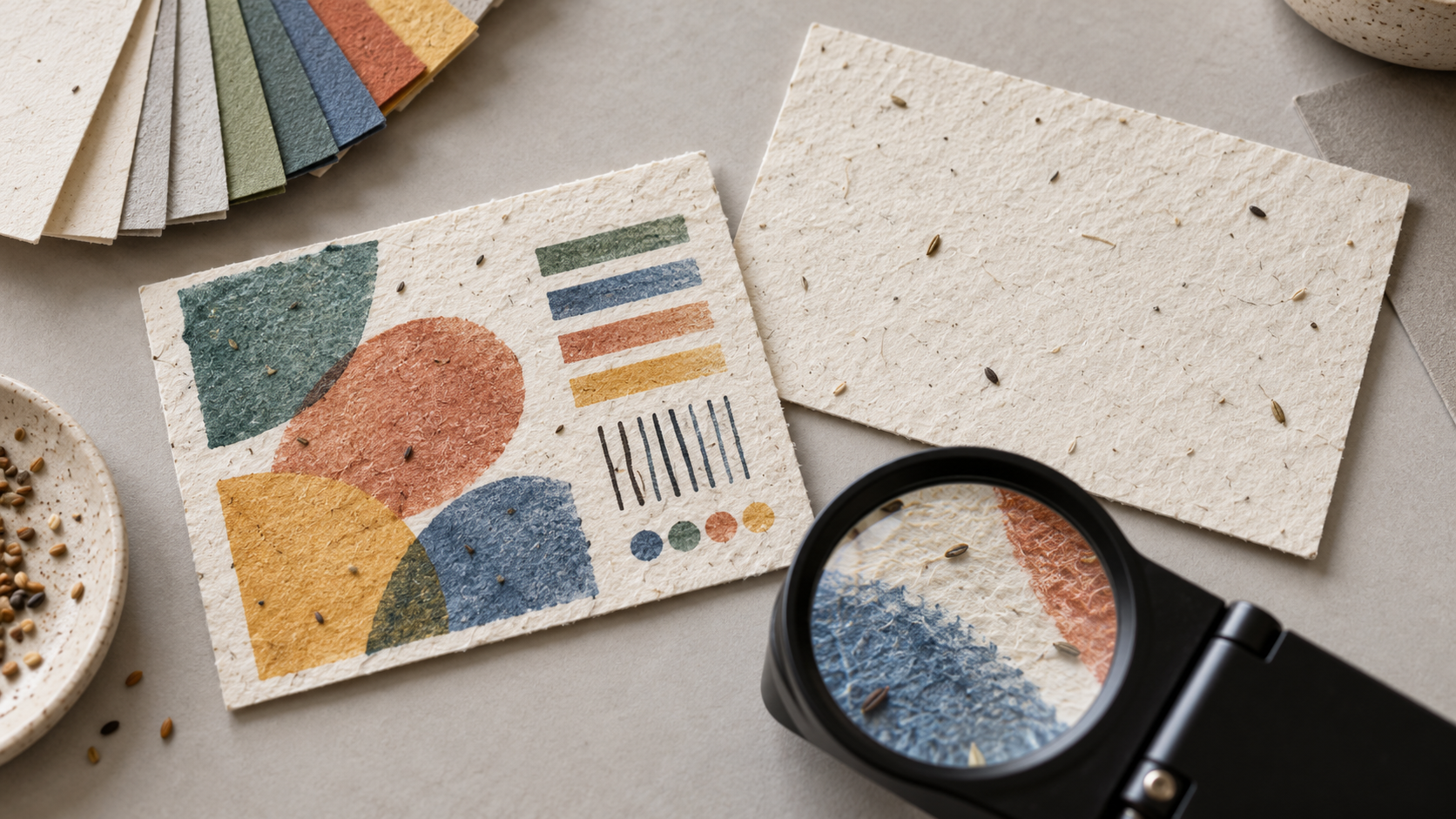
Offset printing on a smooth coated card and inkjet printing on plantable paper are different combinations of process and substrate. Seed paper has visible fibers, embedded seeds, and surface variation. In Papyrn's inkjet process, liquid ink can spread or absorb unevenly across that surface, softening tiny edges and changing the apparent color. The result depends on the chosen sheet, ink, coverage, and print settings; inkjet printing is not inherently low-resolution in every application.
Do not judge the job only from a PDF, a screen preview, or an offset proof on ordinary card stock. A seed-paper print sample is the meaningful comparison. Specialist seed-paper artwork guidance also notes that the paper's texture and base color affect placement and color; see the manufacturer's artwork guidance.
Text size: use 12 pt as a starting point, then test
For this seed-paper service, do not carry over an 8 pt minimum from a conventional offset job. Prepare customer-facing body text, planting instructions, and any essential URL at 12 pt or larger in the first proof. If the font is thin, the contrast is weak, or the sheet is especially textured, the finished sample may call for a larger size. A bold 12 pt font and a light 12 pt font will not necessarily read the same way.
Keep important text away from seed clusters and rough patches. Use short lines, clear spacing, and high contrast. Avoid putting detailed planting steps in pale type over a colored field. A physical sample should be read at the distance and lighting a customer would normally use, not only enlarged on a computer.
Color: approve what prints on the final sheet
Liquid ink may wick into the paper fibers rather than holding the same sharp edge and saturation seen on a coated offset sample. The seed paper's natural base color also influences light tones. A brand color can therefore look duller, less even, or slightly different from the design file; heavy coverage can make uneven absorption more visible. These are risks to test, not a promise that every design will change in the same direction.
- Send the intended brand colors and note which ones matter most.
- Print color swatches on the actual seed-paper option, with the intended printer and ink settings.
- Compare the physical sample under ordinary viewing light, then approve that sample as the production reference.
- Repeat the check if the paper option, ink, artwork, or production setup changes.
Do not promise an exact match to a screen or a previous offset card. For the general difference between printing inks and paper absorption, HP's print-quality guidance explains why the paper type affects edge sharpness and saturation.
What about a QR code, logo, or fine line?
Treat these as test items, not automatic inclusions. A small QR code can lose definition when ink spreads or when paper texture breaks up a module. Keep strong contrast and clear space around it, then scan the printed card at its final size with several phones. If the link matters, print a short readable URL as a fallback. Review thin logo strokes, small reversed-out lettering, and fine borders at actual size too.
Put the thank-you or invitation message first; keep planting directions concise and matched to the confirmed seed. If the card also needs dense care, warranty, or legal information, use a conventional insert or a separate online page instead. The seed-paper buying guide explains where the card fits in an order or gift set.
Approve a production-relevant sample
Before ordering, review the actual finished size and selected seed paper, not just a generic paper swatch. Check the smallest essential text, the most sensitive colors, logo edges, QR scanning, both printed sides if applicable, and how the card sits in its packaging. Record which sample was approved. A sample confirms print and layout; it does not certify seed viability or guarantee germination.
Papyrn's seed-paper cards start at 100 pieces. Send the finished size, quantity, artwork, preferred seed-paper option, color priorities, and whether a QR code needs testing. The seed-paper buying guide covers seed choice and the difference between viability and actual sprouting.
Published October 26, 2026. The image is illustrative. The 8 pt versus 12 pt comparison describes Papyrn's practical artwork planning for this seed-paper inkjet service, not a universal print-industry specification. Confirm all critical text and color using the selected paper and physical production sample.
FAQ
Seed-paper inkjet artwork
Can I use the same 8 pt text as on an offset-printed card?
Do not assume so. For Papyrn's inkjet-printed seed-paper cards, 12 pt is a safer initial minimum for important text than an 8 pt offset-card specification. It is a design starting point, not a guaranteed production limit; approve legibility on the selected paper and increase the size if needed.
Will the inkjet color match an offset proof or a screen?
Not reliably without a physical proof. Ink behavior, the selected seed paper's color and texture, and printer settings can change the result. Approve a print made on the actual paper rather than treating a screen image or a smooth-card proof as the final color standard.
Can a QR code be printed on seed paper?
It may be possible, but do not assume that a code from a digital file will scan after printing. Keep strong contrast and clear space around it, test the final printed size on the selected paper with multiple phones, and include a readable URL when the destination is essential.
What is the minimum order for these cards?
Papyrn's seed-paper cards start at 100 pieces. Confirm the card size, seed-paper option, inkjet artwork, and a physical print sample before production.